
Built-in templates for different annotation needs
Annotation Templates define the fields that can be used in an annotation, like ‘Title’ or ‘Description’. Different templates let you capture different kinds of information about your images.
Glycerine Workbench has three built-in default Annotation Templates that can be applied to many contexts:
- Standard – A general-purpose template for scholarly annotations, with fields for descriptive text, references, attribution and dates.
- Basic – A simple template for straightforward annotations. Best used when only a title and short description are required.
- Minimal – A minimal template for light annotations, used for quick notes or simple remarks.
Need something different? You can make custom Templates with any type of field you like.
Default Templates

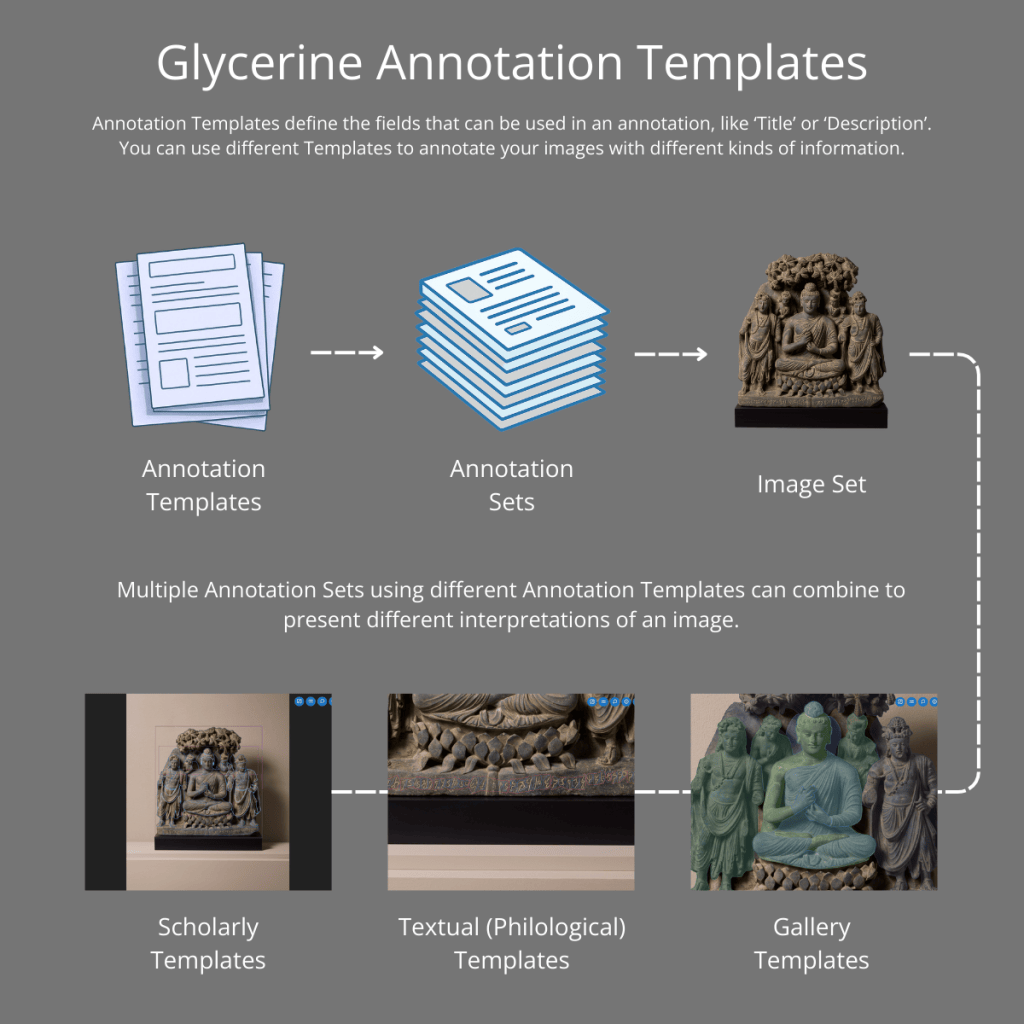
The examples on this page showcase a variety of different Annotation Templates across the same image: the Schist Buddha Triad (year 5). Creating multiple Annotation Sets using different Annotation Templates can present different interpretations of one image, for example, Scholarly, Gallery, and Textual readings.
Scholarly templates
Glycerine Workbench has the flexibility and depth to meet the rigorous requirements of scholarly image annotation. In this example, two Annotation Sets have been created using Glycerine Workbench’s built-in default Annotation Templates to explore the Features and Materiality of the Buddha Triad.
The Features Annotation Set uses the Standard Template and the Materiality Set uses the Basic Template.
Gallery templates
Custom Templates allow Glycerine Workbench image annotation to be applied in gallery or museum contexts. In this example, two Annotation Sets have been created with the same custom Template. The Gallery Collection Set shows a general annotation of the image, designed for public viewing in a gallery’s collection page on their website. The Gallery Exhibition – Divinity Set gives annotations for a physical exhibition featuring the Buddha Triad, focusing on the theme of divinity in art. This could be shown on a digital display next to the object in the exhibition.
These annotations are set to play by default (you can pause using the buttons at the top right).
The fields included in the custom Gallery Template are:
- Title
- Description
- 3D Model
- More Information
Textual (Philological) templates
Custome Templates work well for annotating manuscripts and inscriptions. In this example, the inscription at the bottom of the Buddha Triad has been annotated
at two levels: Token and Syllable (‘Tokens’ are words or symbols), each with its own custom Template. These sets suit linguistic and philological scholarship, or adapted to a gallery context.
The fields that can be included in a custom Token Template include:
- Glossary
- Transliteration
- Translation
- Chaya
- Lemma
- Grammatical Gender
- Grammatical Number
- Case
- Pronunciation